Santa Caught on Camera, in Your Own Living Room
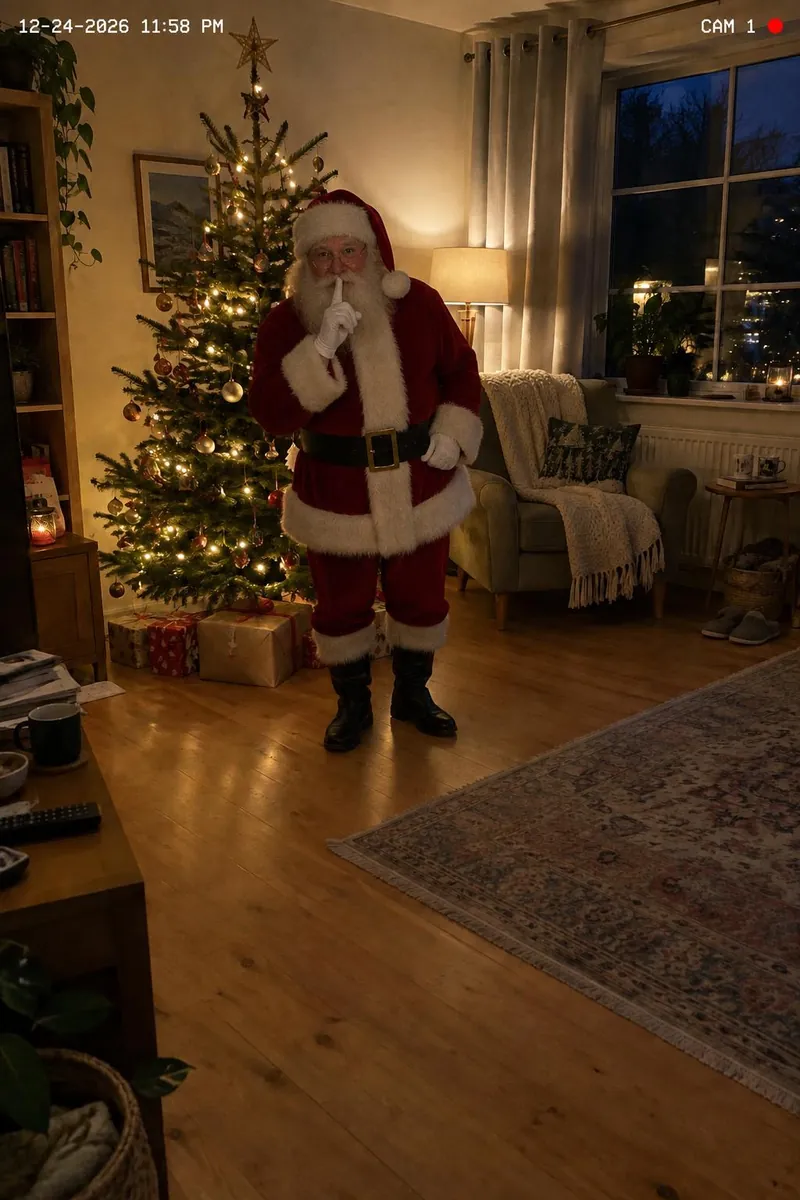
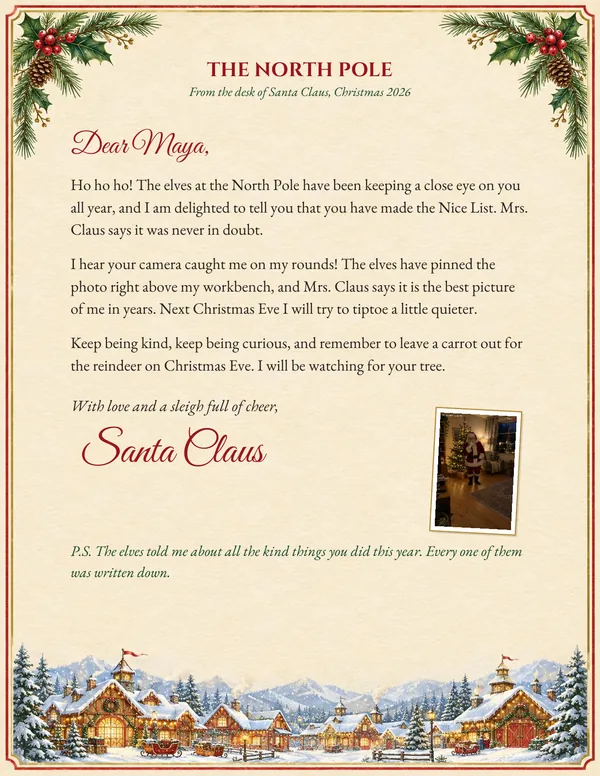
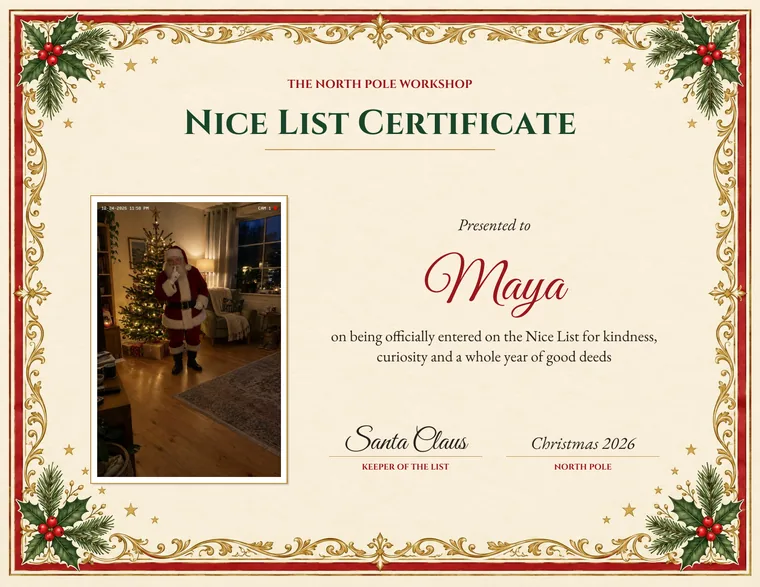
Take one photo of the room with your tree. We add Santa to it, standing on your floor in your room's light, frozen in a security camera still at 11:58 on Christmas Eve. Then a Nice List certificate and a letter from Santa, with that photo on them, to print at home.
$9.99 for the photo, the certificate and the letter · no app, no photo of your child
You see a watermarked preview before you pay.
Make Your Santa Photo
Add a photo of your room and pick what Santa is doing. You will see him in about 20 seconds, watermarked until you unlock the kit for $9.99.
What Is a Santa Cam?
A Santa cam is anything that gives a child proof that Santa watches, or visits, their home at Christmas. The phrase covers three different things. A Santa cam ornament is a small decorative camera with a blinking red light, hung on the tree in December so children believe Santa is keeping an eye on the Nice List. A Santa cam app plays a stock animation of Santa over your phone's camera view or a photo you take. A Santa caught on camera photo, which is what this page makes, is one still of your own room edited to show Santa standing in it, styled as a home security camera frame from late on December 24. The ornament works in the weeks before Christmas; the app and the photo are for Christmas morning.
| Kind of Santa cam | What it is | Your own room | Something to print |
|---|---|---|---|
| Ornament | A decoration on the tree that "watches" | No | No |
| App | An animated Santa over your camera view | Your camera view | No |
| Caught on camera photo | A still of your room with Santa edited in | Yes, your photo | Yes, with the certificate and letter |
How Does Santa Caught on Camera Work?
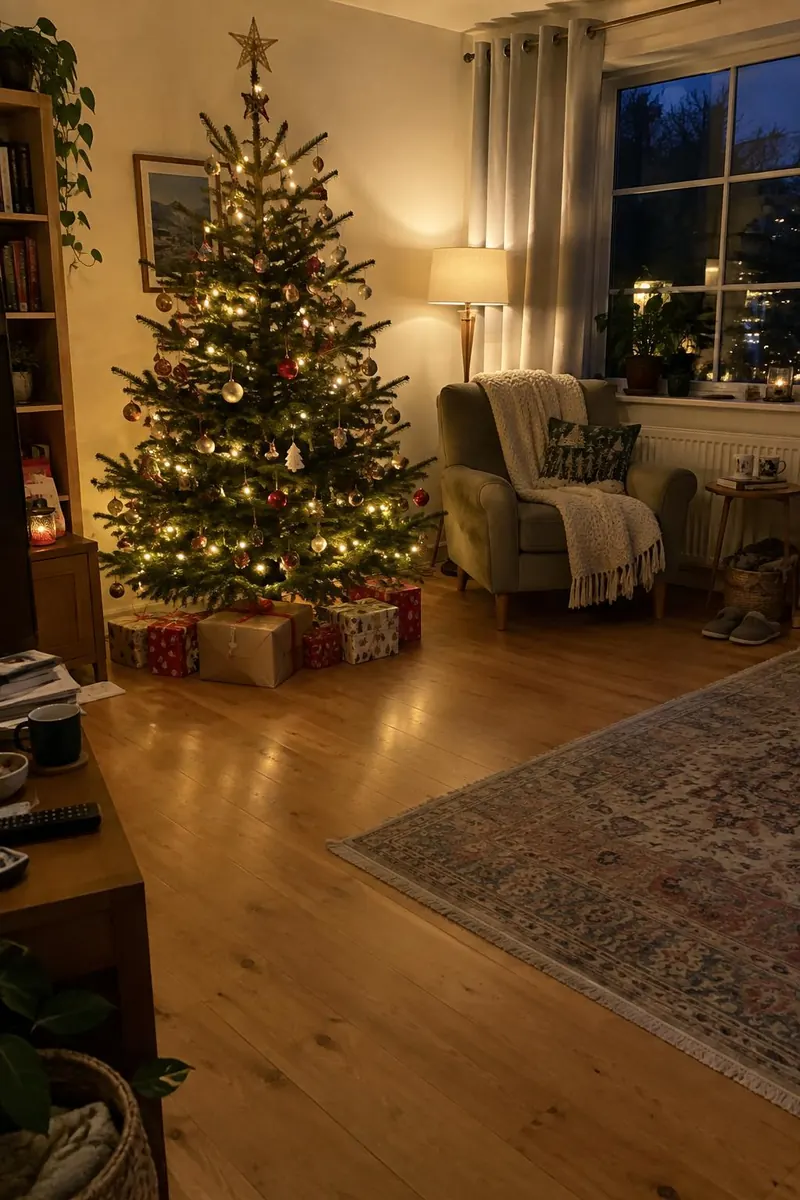
You take one photo of your own room, the way a home camera would see it, and an image AI edits Santa into it. Everything you photographed stays where it is: your sofa, your stockings, the mess on the coffee table. Santa is added standing on your floor, lit by the light already in the room, with a shadow where his boots meet the rug. Nothing else is added, not even a tree, so it works in any room: by the tree, by the fireplace, or in the kitchen next to the cookies.
The whole frame is then made to look like a frame grabbed from a home security camera late on Christmas Eve: slightly wide, a little grainy, the room lights dimmed so any tree lights glow, a white timestamp reading 11:58 PM on December 24 in one corner and a CAM 1 label with a red recording dot in the other. It takes about 20 seconds. You get 3 tries, so you can catch him in a different pose or try a better angle of the room before you pay.
Your Room, Then Christmas Eve
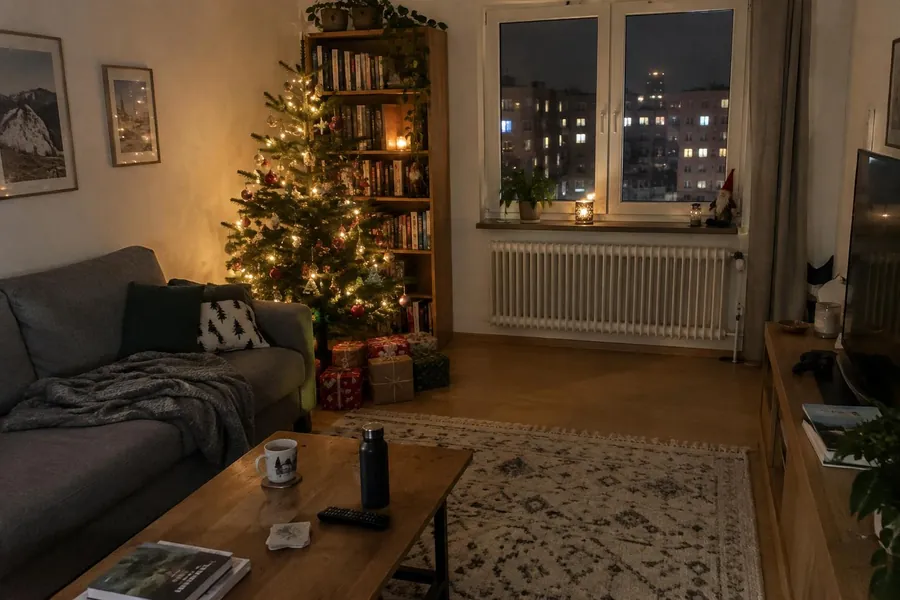
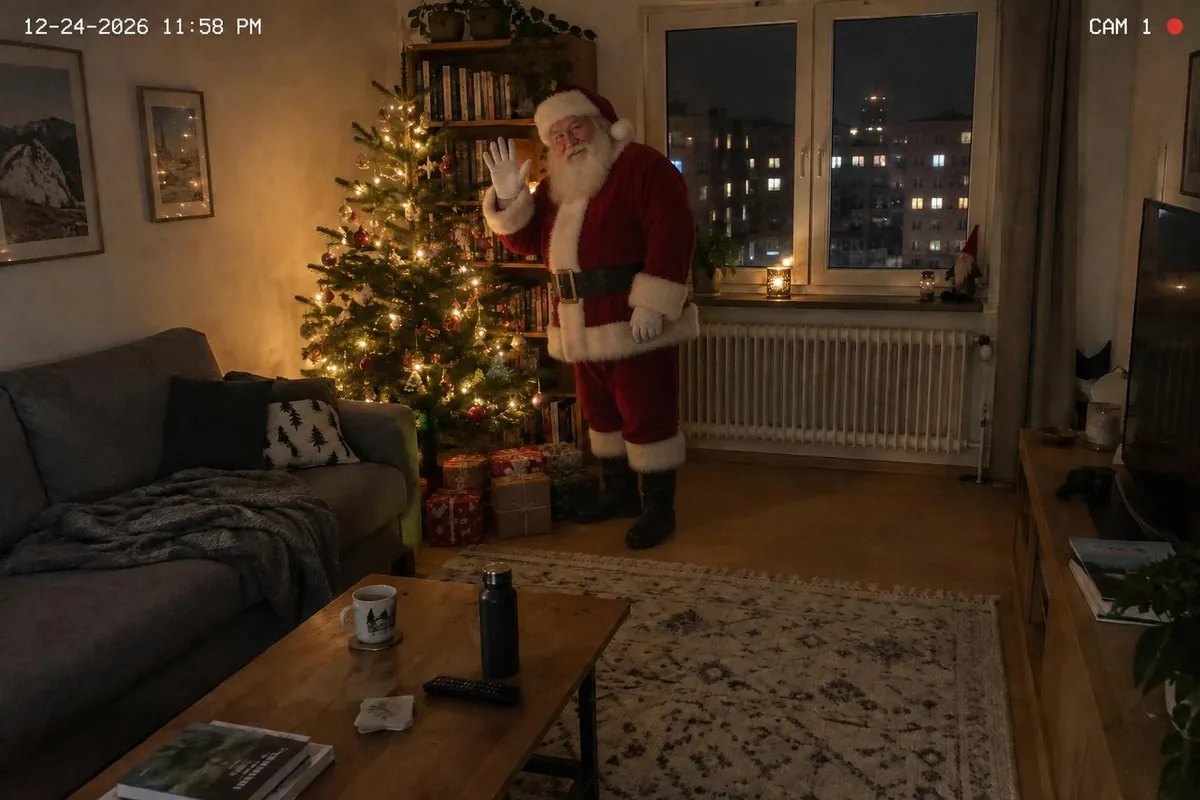
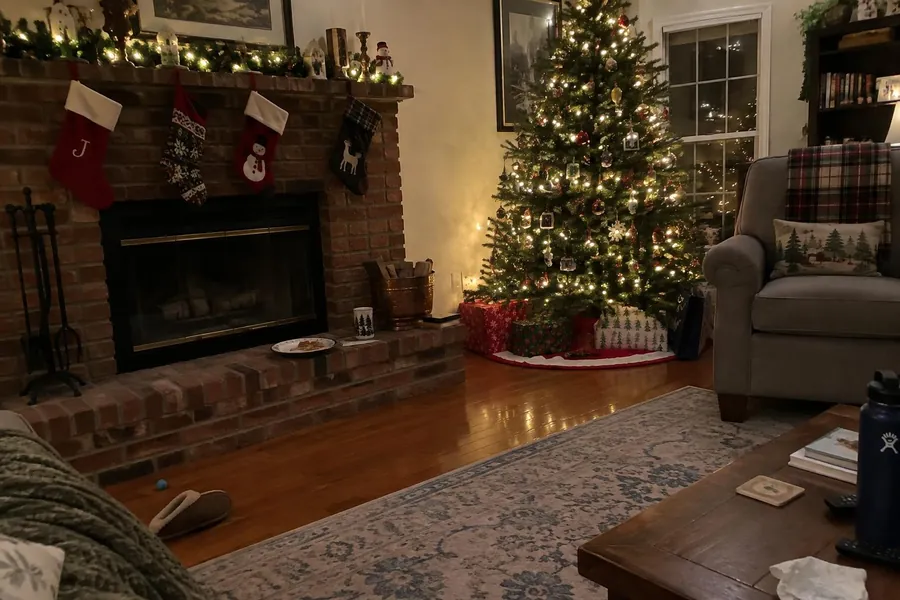
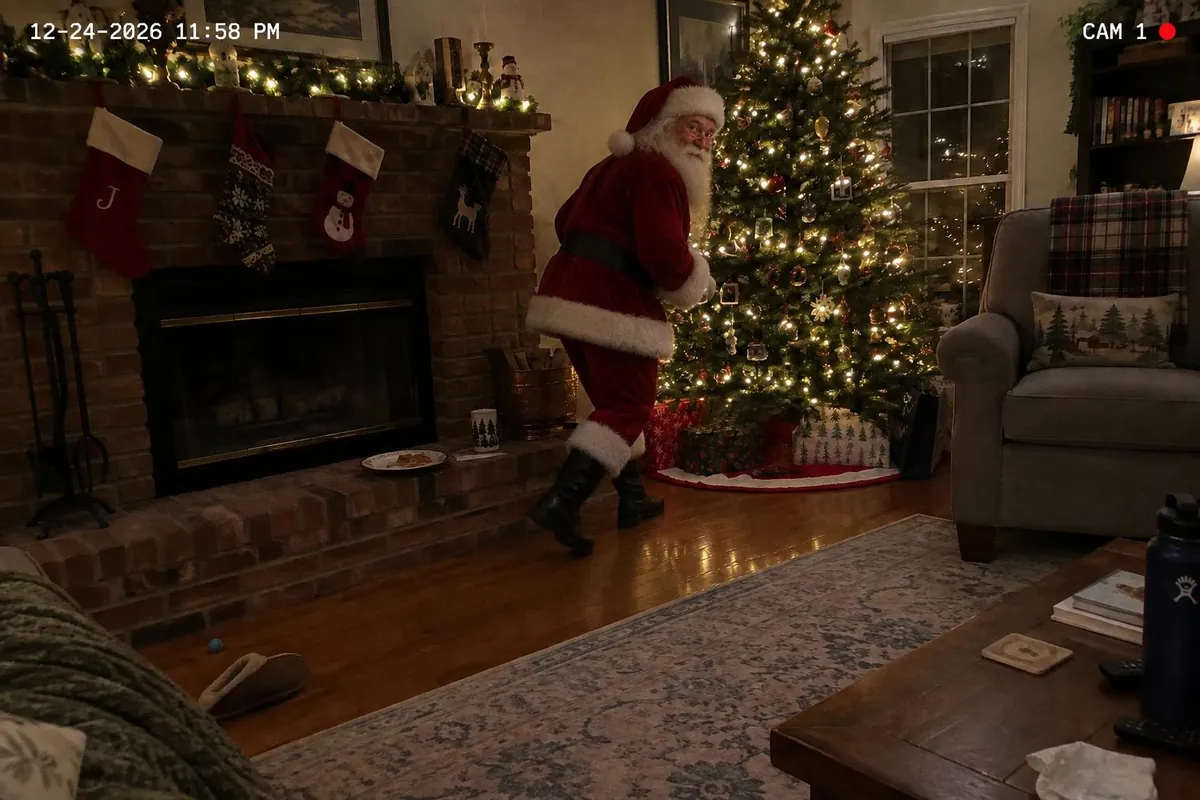
Which Moment Did the Camera Catch?
Pick one of three before each try. Same room, three different Christmas Eves.
-
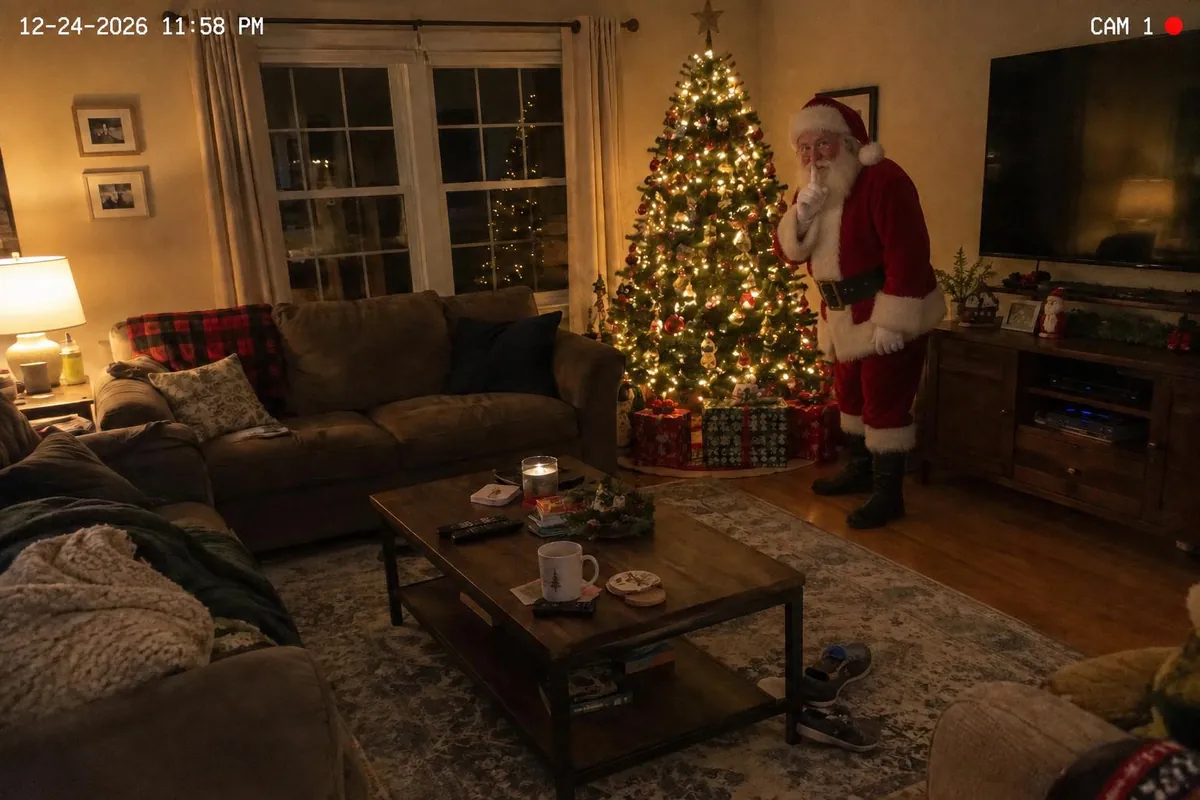
Shh! -
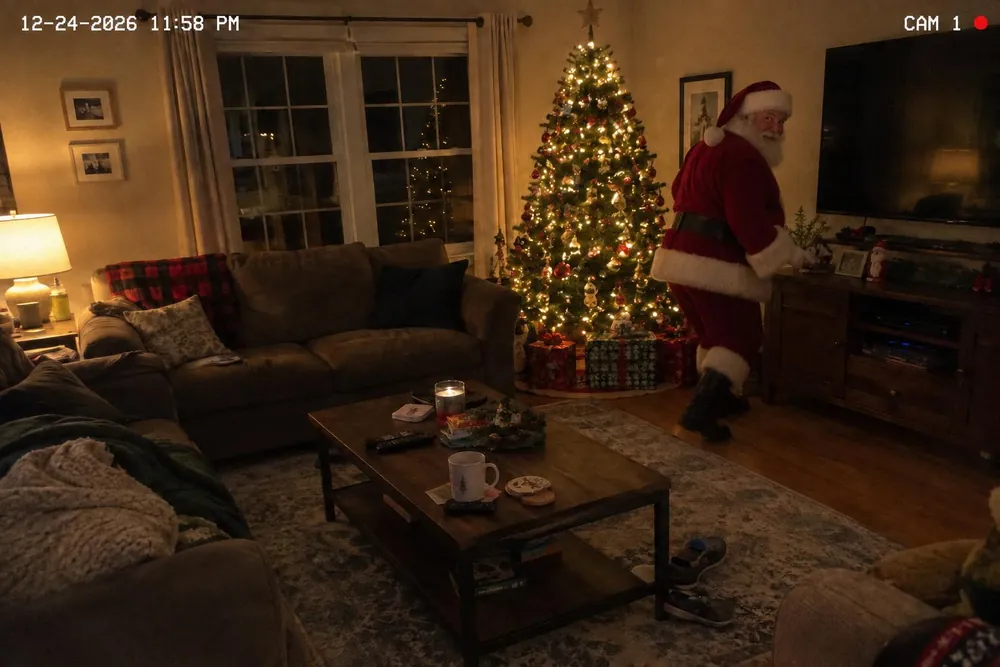
Tiptoeing -
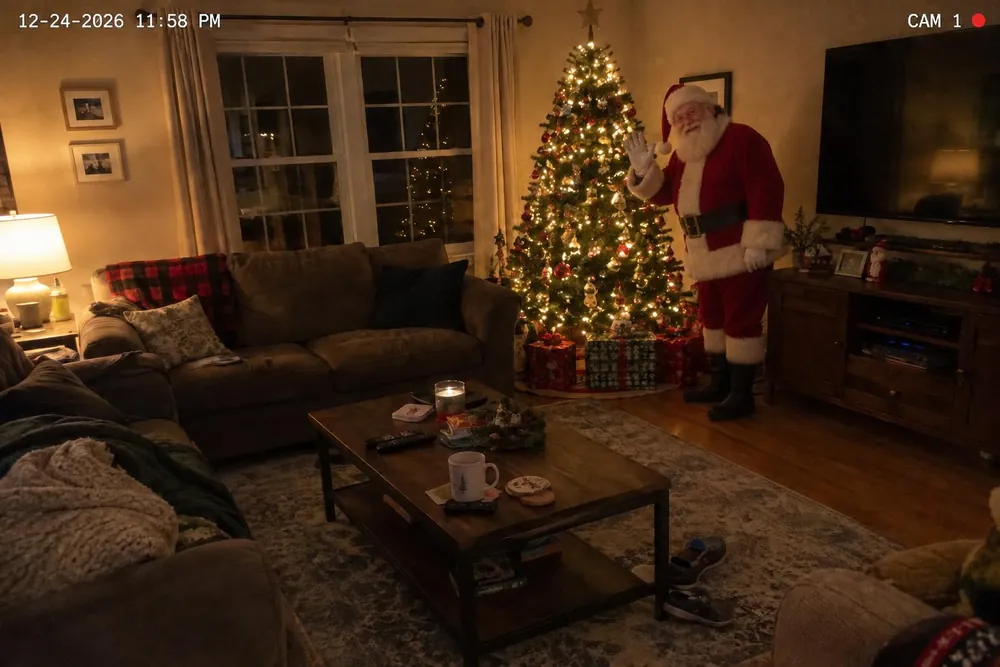
Waving
What Is in the North Pole Kit?
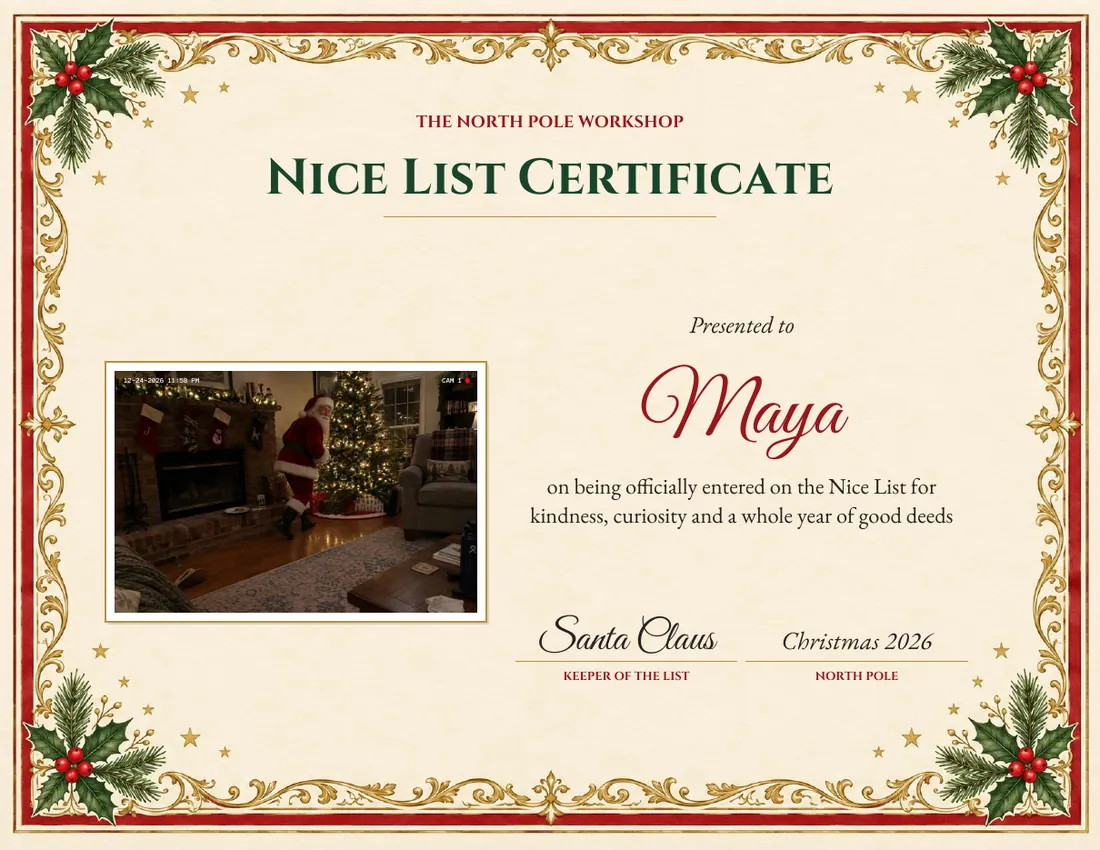
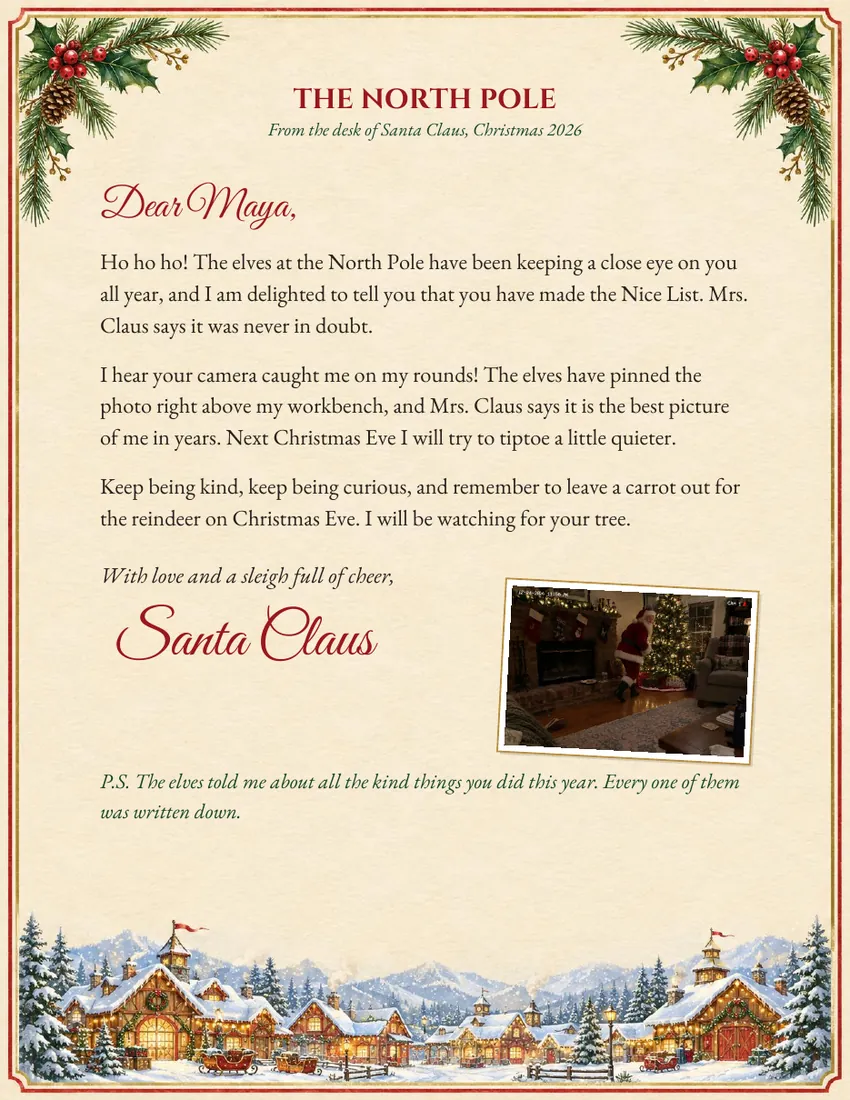
The certificate and the letter are US Letter PDFs, ready to print at 100% on plain paper or card stock. Pick who the kit is for and the words change to suit: a child, the whole family, or the dog. The letter mentions only the reindeer from the 1823 poem, Mrs. Claus and the elves. The name is printed exactly as you type it, one name or several, and you can fix a spelling after you pay. Everything is $9.99, once.
How Do You Pull Off the Christmas Morning Reveal?
The photo works best as evidence that turns up rather than a picture you hand over. Make it in the week before Christmas from a photo of the room taken in the evening, with the tree lit and the presents out, so Christmas morning matches the picture. A few ways to let it turn up:
- Leave the phone face up by the cookie plate, the Santa photo open, before anyone is awake.
- Put it on the TV during breakfast as "something the camera picked up last night".
- Print it and tuck it into the envelope with the letter from Santa, where he admits he was caught.
- Frame the Nice List certificate under the tree with the first present.
For older children who already ask questions, the tiptoeing pose reads as the least posed. If you are building the whole morning around Santa, our list of Christmas elf names and the Christmas jokes for kids by age are made for the same week. And if you want a keepsake of them in the season itself, a portrait in the Christmas Village world is made from one photo of your child.
Santa Cam Questions
How does Santa caught on camera work? +
You upload one photo of your own room, usually the one with the tree. An image AI adds Santa standing in it, lit by your room's light and casting a shadow on your floor, and makes the whole frame look like a home security camera still from Christmas Eve, with a timestamp and a CAM 1 label. You see a watermarked preview in about 20 seconds and can try up to 3 photos before you pay.
Is it a real photo of Santa? +
The room is your real photo and Santa is added to it by an image AI, so it is a picture made for the magic, not evidence. We keep everything in your room as it is and only add Santa, and nothing else: no tree, no decorations, nothing your child would know was never there.
Do you need a photo of my child? +
No. The only photo you upload is your room, ideally with nobody in it. No child is generated in the picture, and the name you type for the certificate and the letter is only ever printed on them. It is never sent to any AI.
What photo of my room works best? +
Stand where a camera might sit, in a corner or on a shelf, and take the photo wide enough to show some floor near the tree, because that is where Santa needs to stand. Turn the tree lights on and the big lights down. A landscape photo looks most like a security camera, but portrait works too.
What is in the North Pole Kit? +
Three things for $9.99: the Santa caught on camera photo as a full-size image, a Nice List certificate and a letter from Santa. The certificate and the letter are print-ready US Letter PDFs with your Santa photo on them and the name you choose, written for a child, a family or a pet.
Can I see it before I pay? +
Yes. The Santa photo, the certificate and the letter all show as watermarked previews first. You get 3 tries at the photo, with a different room or a different pose. When you pay, the marks come off and everything downloads.
What happens to my room photo? +
It is stored only to make your Santa photos and is deleted automatically within 24 hours. It is never used to train AI. The Santa photo you buy is kept so you can download it again from your kit page.
How is this different from a Santa cam app? +
A Santa cam app plays a stock animation of Santa over your phone camera view. This is a single still edited into the photo of your own room, with Santa standing on your floor in your room light, plus a certificate and a letter to print. You download it, so there is no app to install.
When can I get it? +
Straight away. It is a digital download, so it works right up to Christmas Eve. The kit is available until Christmas Day each year.